Reference
Quality levels
Four tiers trade resolution, reflections, ripple layers and particle counts for speed. Switch at any time with setQualityLevel(); the water shaders recompile and the meshes rebuild on the next frame.
const water = await RiverSystem.create({ renderer, scene, camera, quality: 'medium' });
water.setQualityLevel('ultra');
water.qualityLevel; // 'ultra'#The tiers
| Setting | low | medium | high | ultra |
|---|---|---|---|---|
rtScale: world target resolution | 0.7 | 0.85 | 1.0 | 1.0 |
samples: MSAA on the world target | – | – | – | 4× |
ssrSteps: screen-space reflection steps | off | off | 20 | 36 |
normalLayers: ripple layers | 2 | 3 | 3 | 3 |
maxObstacles | 12 | 24 | 40 | 64 |
ribbonStep: metres between cross-sections | 2.0 | 1.5 | 1.0 | 0.7 |
crossSegments: quads across a ribbon | 8 | 12 | 16 | 22 |
spray / mist per waterfall | 180 / 10 | 360 / 16 | 640 / 24 | 1100 / 36 |
waterMap: top-down map resolution | 512² | 1024² | 1024² | 2048² |
causticLayers on patched materials | 1 | 2 | 2 | 2 |
high is the default. The demo on high at 1280×720 runs at the display cap of 120 fps on an Apple M5 when nothing else is using the GPU.
#What you give up
rtScalebelow 1 renders your whole scene, not just the water, at a lower resolution before it is composited. It lowers the cost of everything you draw, and it softens the whole image.- Without SSR (
low,medium) the water reflects only the sky and the tree-line band, not the banks and rocks. - Two ripple layers (
low) drop the stationary standing-wave layer, so fast water looks smoother. - Fewer obstacles means the farthest registered rocks lose their rings and wakes first.
- Coarser ribbons only matter in tight bends and on steep, descending paths.
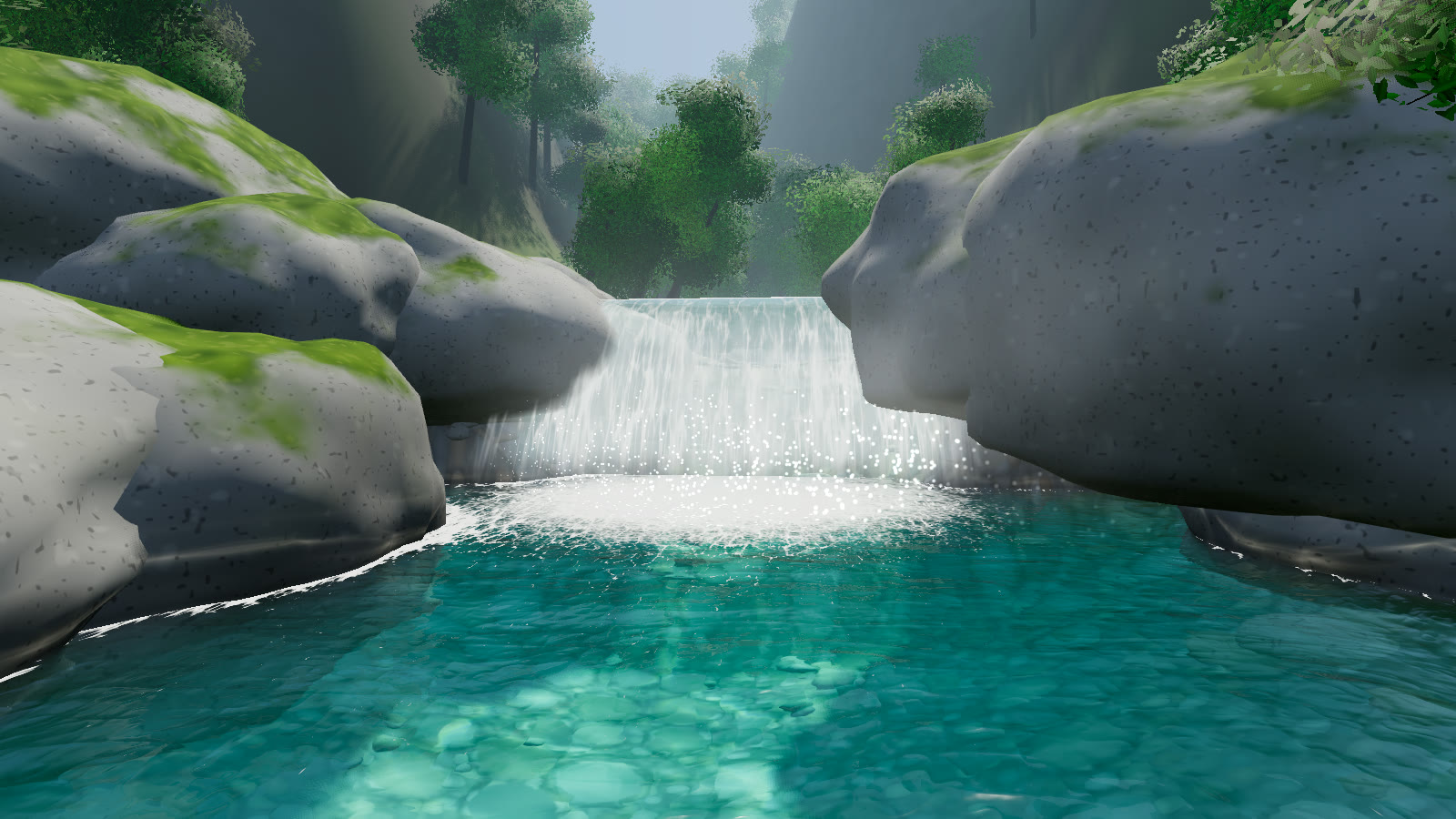
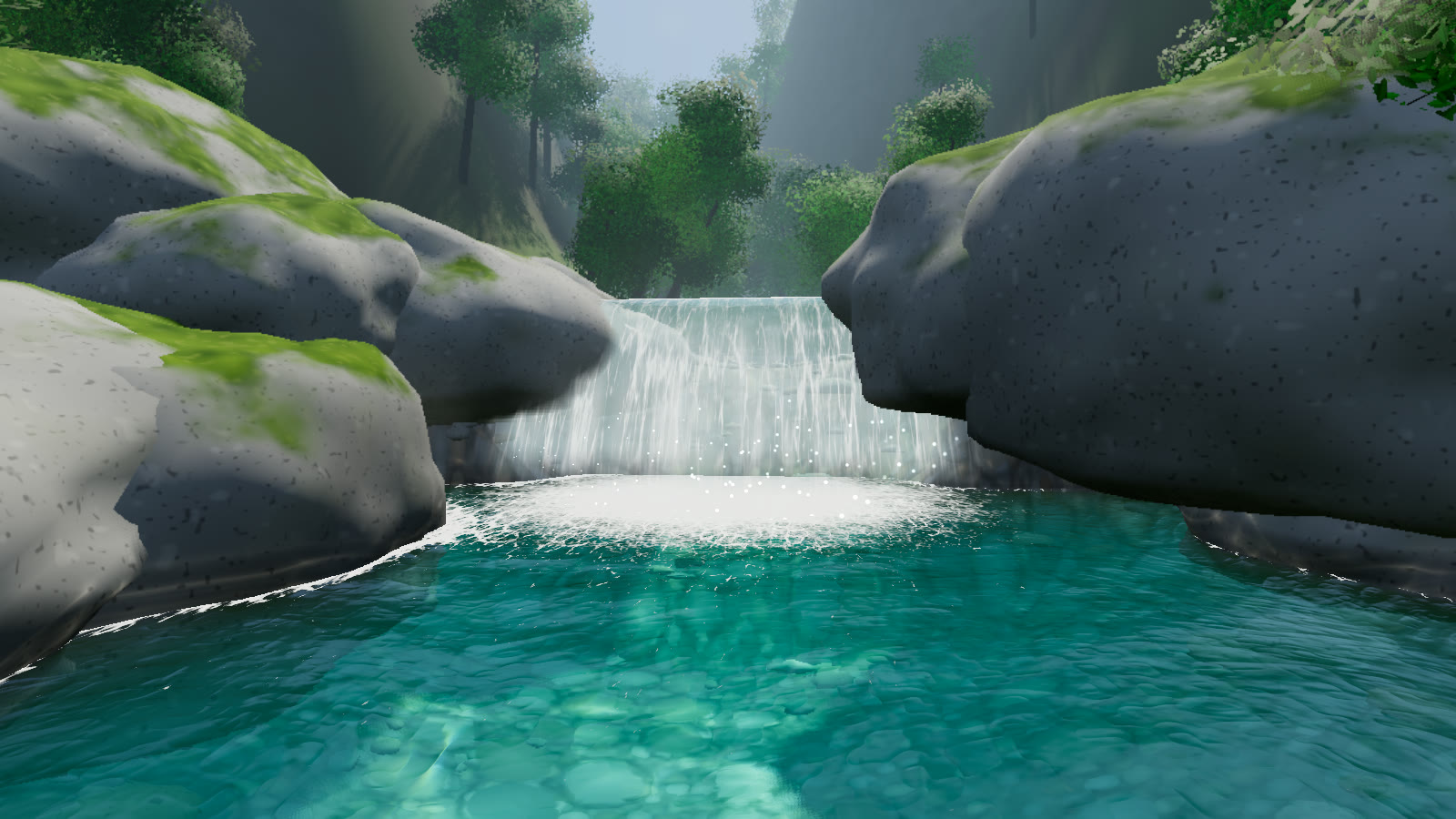
low and ultra. ultra renders the world at full resolution with 4× MSAA, marches 36 SSR steps and throws 1100 spray droplets instead of 180.#Tuning a tier
QUALITY_LEVELS is a plain exported object, and both create() and setQualityLevel() copy their tier from it. To customise a tier, edit the table before you create the system or switch to that tier:
import { QUALITY_LEVELS } from 'naturegl-river';

QUALITY_LEVELS.high.rtScale = 0.9;
QUALITY_LEVELS.high.ssrSteps = 12;
const water = await RiverSystem.create({ renderer, scene, camera, quality: 'high' });
water.quality holds the copy in use. Changing it afterwards has no reliable effect, because it's read only when shaders compile and meshes are built.